🎯 Unified Business-Technical Mapping with BPMN 2.0
New in 2026: Mercator now integrates business process modeling using the BPMN 2.0 (Business Process Model and Notation) standard, creating a unified mapping where your business processes are directly linked to your technical infrastructure.
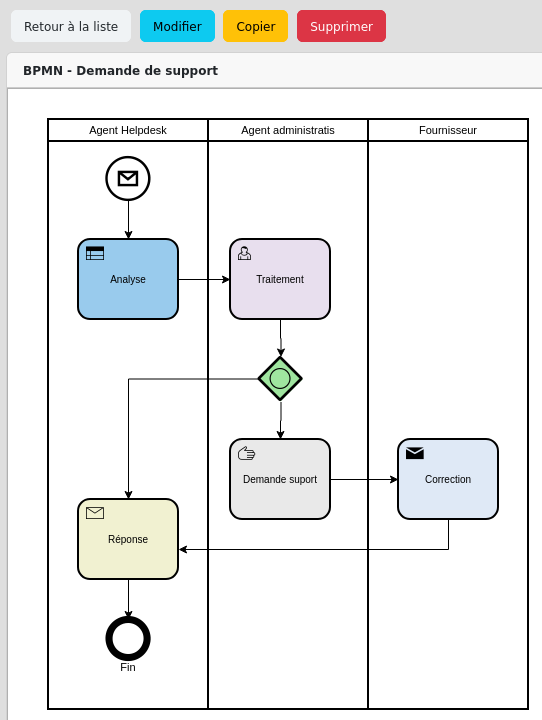
360° view of your organization:
- Model your business processes using the BPMN 2.0 standard notation
- Link each task to the applications, servers, and infrastructure that support it
- Identify the technical impact of a business process change
- Assess the business impact of a technical incident
Strategic use cases:
- Impact analysis: A critical server goes down? Instantly visualize which business processes are affected
- Optimization: Identify processes relying on obsolete or at-risk infrastructure
- NIS2 compliance: Document essential processes and their technical dependencies
- Communication: A common language between business teams, IT, and management
Enterprise version exclusive feature - Learn more
🌐 Multi-view: Visualize Your IT from Every Angle
Mercator allows you to explore your information system from five complementary perspectives, each tailored to a specific need.
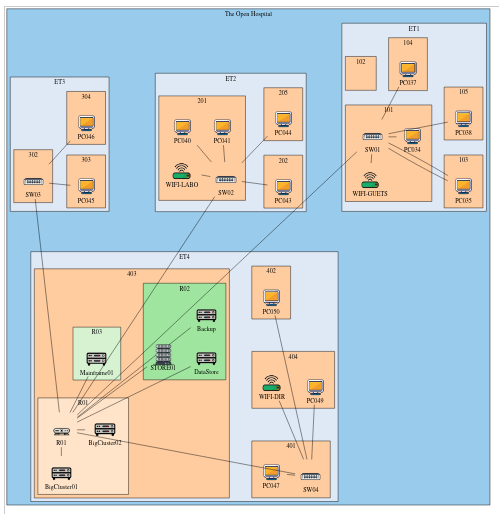
Available views:
- Ecosystem view: Relationships with your suppliers, partners, and external entities
- Application view: Application mapping and their interconnections
- Logical infrastructure view: Network architecture, security zones, data flows
- Physical infrastructure view: Datacenters, server rooms, hardware equipment
- Business process view: Workflows and their technical support (Enterprise)
Each view is interactive and allows natural navigation between different perspectives to understand relationships and dependencies.
📊 ANSSI Compliance and Maturity
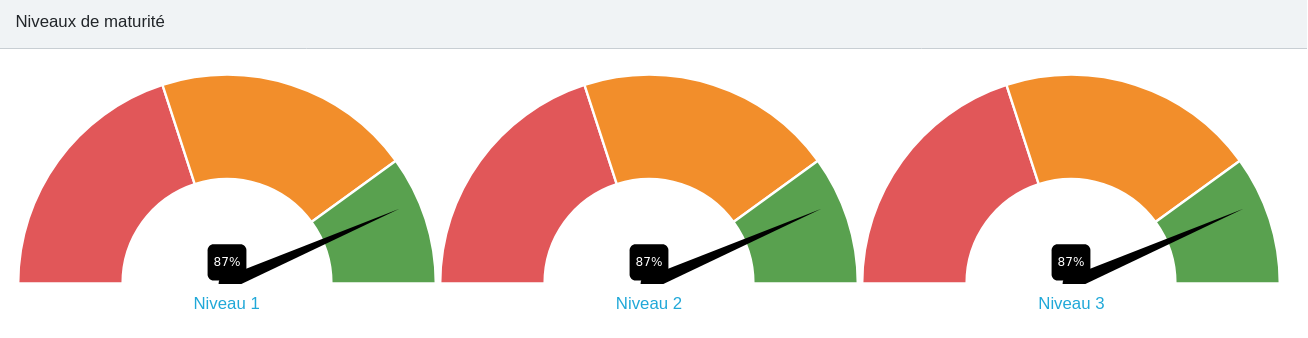 | Automatically assess your maturity level according to ANSSI recommendations. Mercator analyzes your mapping and calculates a compliance score based on the completeness and quality of your data. |
Key indicators:
- Maturity score by domain (governance, protection, defense, resilience)
- Automatic identification of gaps and deficiencies
- Prioritization of improvement actions
- Tracking of evolution over time
Ready-to-use reports for audits and management reviews, compliant with regulatory requirements (NIS2, ISO 27001, HDS).
🔍 Exploration and Impact Analysis
Navigate intuitively through your mapping and discover relationships between your assets
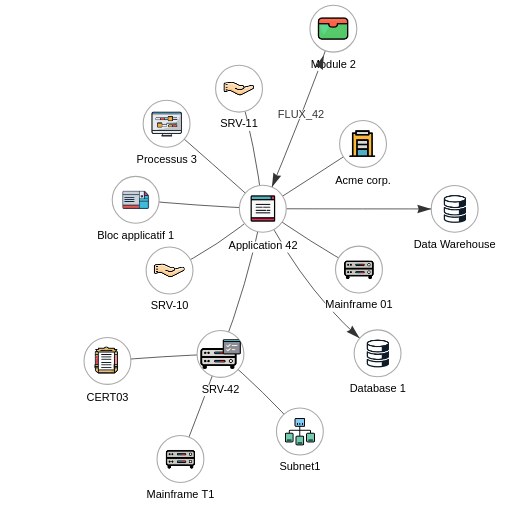 | Click on any element to instantly visualize its upstream and downstream dependencies. The interactive graphical interface allows you to explore your information system naturally: start from a business application to identify the servers hosting it, the databases it uses, and the business processes it supports. Or follow the reverse path: from a physical server, trace back to the business services that depend on it. Each click reveals a new level of detail. Relationships are visually materialized, allowing you to understand at a glance the potential impact of an outage, an update, or a configuration change. |
This exploratory navigation transforms static documentation into a living map of your infrastructure, where each technical component is directly linked to its business value.
📈 Overview and Dashboards
Get a synthetic view of your information system through dynamic and customizable dashboards.
| Monitor the health and composition of your IT landscape at a glance. Mercator’s dashboards provide key metrics and indicators tailored to different audiences: technical teams can track infrastructure inventory and technology stack distribution, while management gains visibility into application portfolio status and compliance coverage. | 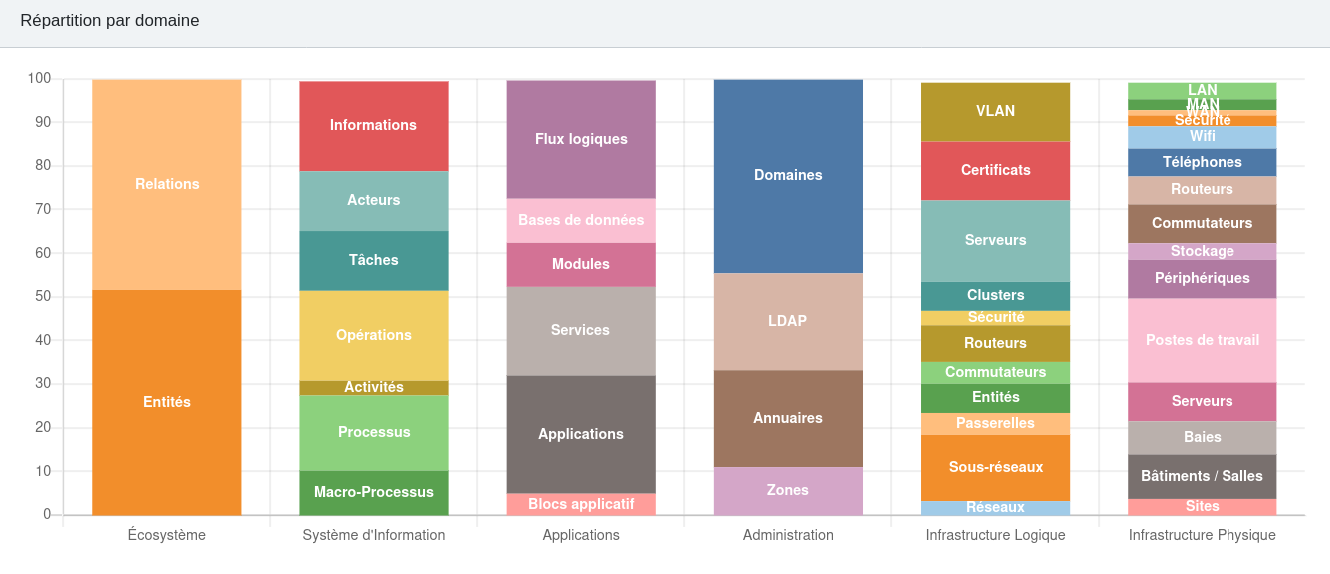 |
Real-time metrics:
- Asset distribution by domain and category
- Documentation and completeness rates
- Fleet evolution and trends
- Compliance and maturity indicators
Interactive charts allowing filtering, zooming, and data exploration according to your needs.
✏️ Technical Diagram Creation
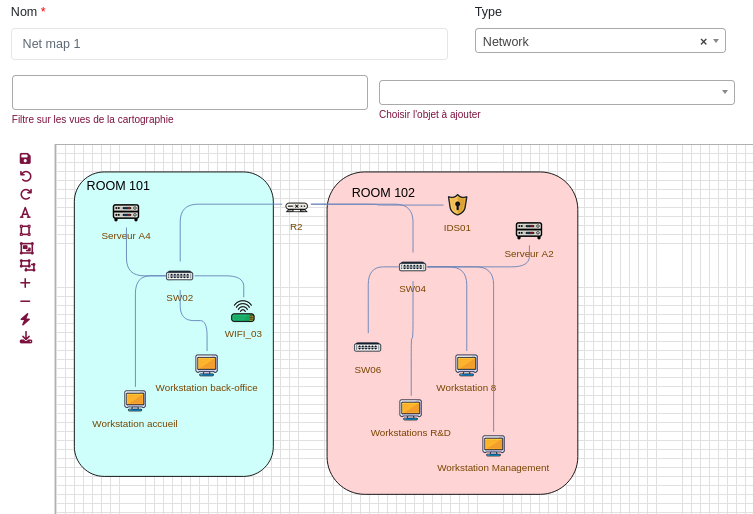 | Automatically generate professional technical diagrams or create them manually by drag-and-drop. Diagrams remain synchronized with your mapping. |
Features:
- Intuitive drawing interface
- Library of standard icons and symbols
- Multi-format export (PNG, SVG, PDF)
- Pre-configured templates (network architecture, application flows, infrastructure)
- Customizable annotations and legends
Facilitate communication with your teams and documentation of your architecture.
📄 Professional Reports
| Generate detailed and customizable reports on all aspects of your information system. Ready-to-use documents for audits, management committees, or technical documentation. | 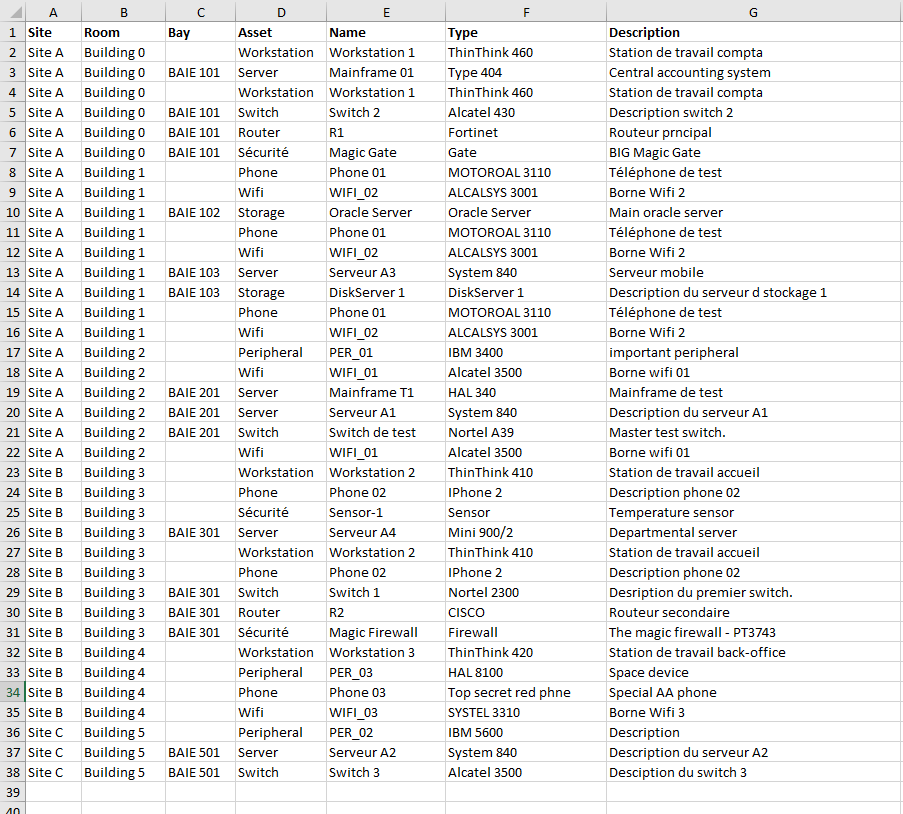 |
Report types:
- Comprehensive inventory by asset category
- Supplier analysis and third-party risks
- Application mapping with dependencies
- Security measures and compliance status
- Business processes and their technical support (Enterprise)
Exports: PDF, Excel, CSV for all types of use (presentation, analysis, integration).
🔌 Complete REST API
 | Integrate Mercator into your IT ecosystem with a documented and secure REST API. Automate updates, synchronize with your existing tools (CMDB, ITSM, GRC). |
Use cases:
- Bidirectional synchronization with ServiceNow, Jira, or other ITSM
- Automatic import from Active Directory, VMware, Kubernetes
- Export to risk management platforms
- Development of custom extensions
Documentation: Interactive OpenAPI/Swagger, secure authentication, configurable rate limiting.
👥 Collaboration and Granular Rights Management
Community version:
- Basic user and role management
- Modification traceability
- Comments and annotations
Enterprise version - Advanced cartographer management:
Granular permission system allowing distribution of mapping responsibility across multiple teams while maintaining global consistency.
Capabilities:
- Custom cartographer roles by domain (network, application, security, processes)
- Detailed permissions by object type and action (read, create, modify, delete)
- Multi-level validation workflows before publication
- Delegation of responsibilities while respecting the principle of least privilege
Ideal for: Multi-site organizations, cross-team collaboration, distributed responsibilities.
🔄 Data Import and Export
Mercator facilitates data exchange with your ecosystem:
Import:
- CSV import for massive initial loading
- Connectors for external sources (AD, CMDB, network scanners)
- Customizable scripts for proprietary formats
Export:
- Complete or filtered export of the mapping
- Multiple formats: CSV, JSON, XML, Excel
- Automation via API and scheduling
⚡ Performance and Scalability
- Optimized architecture to handle thousands of objects without degradation
- High-performance search engine with indexing
- Real-time compliance and impact calculations
- Flexible deployment: on-premise, private cloud, or containers
- Horizontal scalability for large organizations